BKR5000 VHF Portable Radio
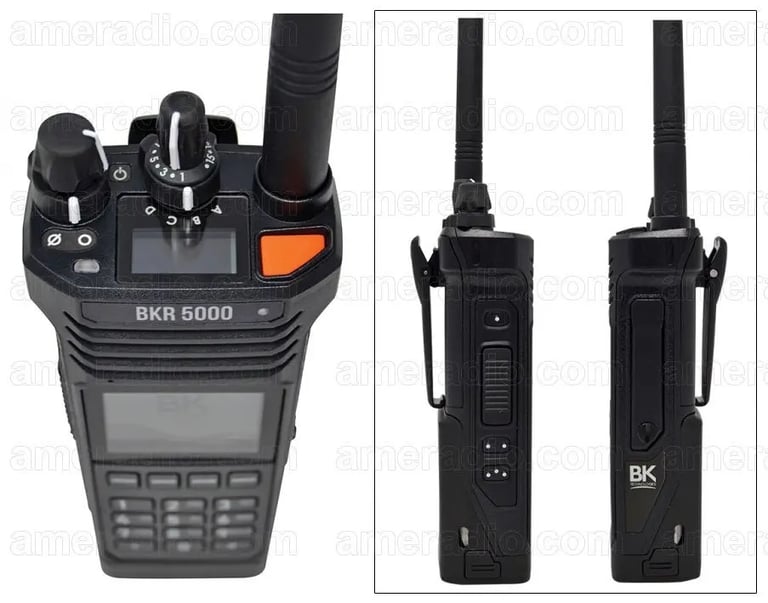
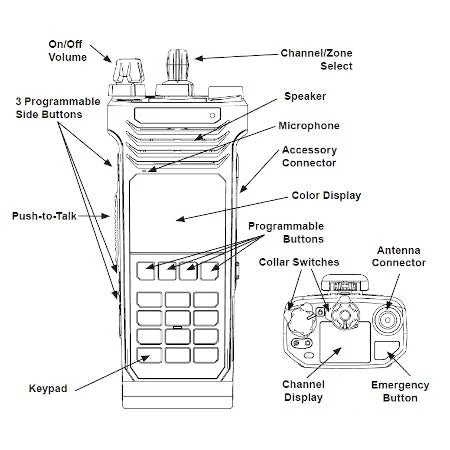
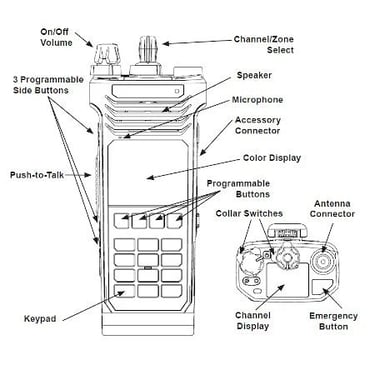
Visual guide to the BK Technologies BKR5000 VHF Portable Radio buttons and controls.
RADIOS
Jon Gustafson
5/9/20261 min read
Visual guide to the BK Technologies BKR5000 VHF Portable Radio buttons and controls.
Main Controls (Top & Front)
Front Panel
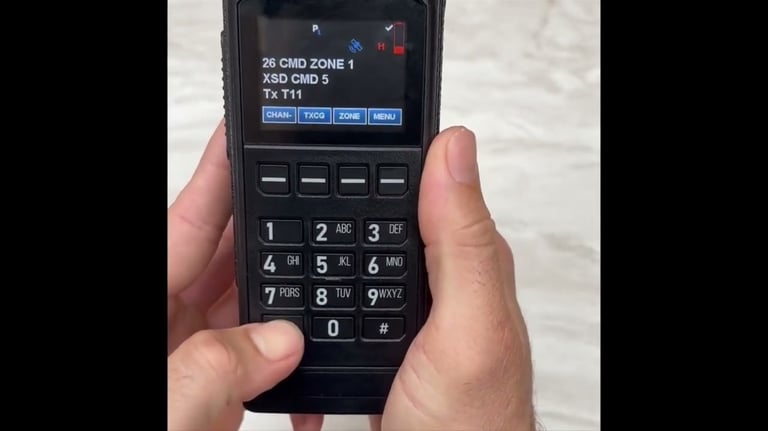
- Main Display — Shows zone, channel, status icons, battery, signal, etc.
- 4 Soft Keys (buttons just below the display) — Functions change depending on mode (labeled on screen: e.g., MENU, ZONE, CHAN, TXCG, etc.)
- Numeric Keypad (12 keys: 1-9, 0, *, #) — Used for direct channel/zone entry, keypad programming, and menu navigation
- Navigation / Function Keys (around keypad) — Usually include MENU, ESC, ENT, Up/Down arrows, etc.
Common Programmable Button Functions (varies by agency programming)
- Scan — Start/stop scanning channels
- Monitor — Opens squelch to hear weak signals
- Nuisance Delete — Temporarily removes a channel from scan list
- Talkaround / Direct — Bypasses repeater for direct radio-to-radio
- Backlight — Turns on display light
- Control Lock — Locks buttons to prevent accidental presses
Tip: Many fire departments program the Orange button as Emergency or Home Channel, and # or * for Nuisance Delete.